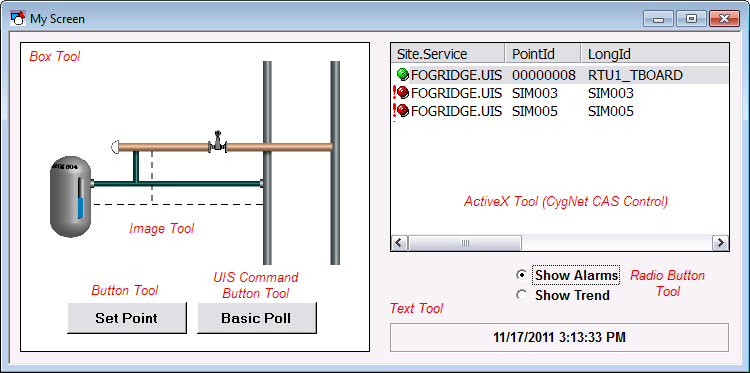
The objects available to be added to TheView are shown in the toolbars or in a Catalog. There is a wide variety of tools available.
|
|
| Sample Screen |
To add an object to TheView the screen must be in Edit mode (View > Switch to Edit Mode). Most objects can be added to TheView by clicking on the tool in the toolbar and then clicking on TheView or dragging the tool to TheView. Some tools, such as the Polyline Tool, require that you click on the tool in the toolbar and then click and drag to create the first segment, then click to add subsequent segments, and then double-click or press ESC to create the final endpoint. The Freehand Tool requires that you drag to create the object since there is no default shape. The particular requirements for adding a tool, if any, are described along with the tool in the topics Standard Tools, Command Tools, and Graphics Tools.
With some objects, such as the Slider Tool, its orientation is a property of the tool. If you change the orientation you will also have to resize the object’s boundary.
Objects on TheView are stacked based on the order they are added to it. Use the Order option on the Draw menu to change the object stacking order. Objects also have an order of precedence based on object type. For example, ActiveX controls are always on top, followed by buttons, then other tools.
Once you have added an object to TheView you must configure its properties.
Adding an Object from a Toolbar
Adding an Object from a Catalog

|
|
|

